


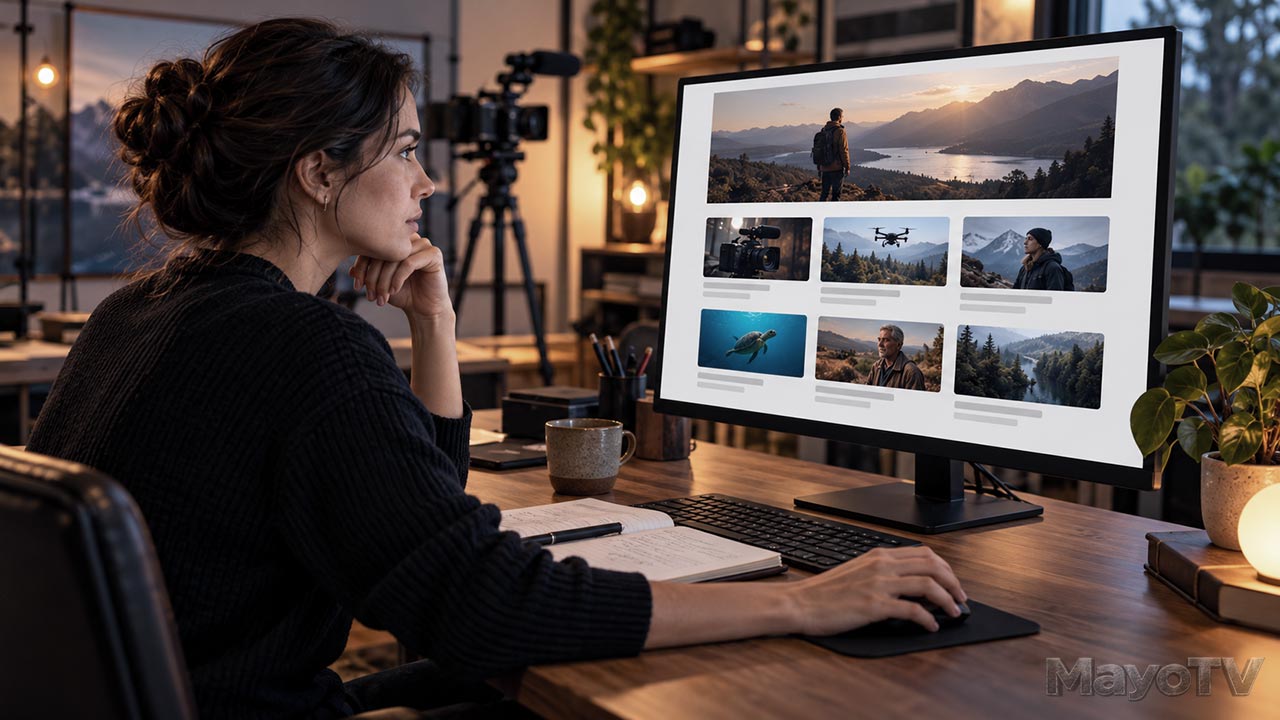
Build a Project Catalog That Helps Viewers Find Your Work
You have finished several videos, but a new visitor sees only a list of recent posts. An episode from the middle of a series appears first, an older project is buried, and nothing explains which video to watch next.
A project catalog gives your work an understandable home. It organizes shows, episodes, and standalone projects so viewers can recognize what interests them and find a useful starting point.
For an independent producer, this can begin with a simple website page. You need clear descriptions, sensible grouping, and working links. Build the catalog around the viewer’s decisions rather than the order in which you uploaded the files.
Separate Projects from General Articles
A production blog can explain techniques, share research, and describe work behind the scenes. A project catalog helps people find the actual productions.
Give each area a clear purpose. A lighting article belongs in your learning resources. An original interview program belongs in the show catalog. A behind-the-scenes article can link to the project it discusses.
These connections let viewers move between the work and its supporting information without making them guess which page contains the video.
Start by listing the projects you can currently show. Mark unfinished concepts accurately rather than presenting them as available programs.
Group the Work in a Useful Way
Organize a recurring show under its own series page. If seasons help explain the viewing order or production, group episodes within them.
Standalone documentaries, short films, and demonstrations can have individual project pages. You do not need to invent a series category for a single unrelated video.
Use labels the audience can understand. A few useful groups are easier to navigate than many overlapping categories with almost identical names.
For a small catalog, a simple list or grid may be enough. Add filters or search when the amount of work makes browsing difficult, and test whether those controls actually help people find something.
Give Each Project a Clear Introduction
A series page should answer three questions: What is this show about? Who might enjoy it? Where should I begin?
For a practical technology show, you might describe the premise, identify its beginner audience, and feature an introductory episode. Then show the remaining episodes in a deliberate order.
For an individual project, provide a descriptive title, a short summary, and an obvious place to watch. Include relevant credits and your role accurately.
If the video is not available yet, label the page as a concept or work in progress. Avoid a prominent viewing button that leads to an unrelated destination.
Keep descriptions specific. Explain the subject and experience instead of calling every production an exciting journey.
Make the Viewing Order Obvious
Some episodes build on earlier material. Others can be watched independently. Tell viewers which kind of series they are entering.
For a sequential series, use consistent episode numbers and provide a clear first episode. Keep the main list in story order even if your blog feed sorts posts by publication date.
For independent episodes, consider a recommended starting point and topic-based browsing. A visitor interested in microphones should not have to watch every previous installment to find the relevant demonstration.
Use previous and next links where they make sense. Check that they lead to the intended episode and do not send the viewer through a confusing chain of article pages.
Make Thumbnails and Links Work Together
A thumbnail helps someone recognize the subject. The title and summary explain why they might choose it.
Use a consistent visual approach within a show while giving each episode a distinguishable image. If every card looks identical, the catalog becomes harder to scan.
Keep important thumbnail details visible at small sizes. Avoid relying on tiny text or subtle differences that disappear on a phone.
Use descriptive links such as the episode title. A page filled with identical “Watch here” links forces people to examine surrounding text to understand each destination.
Connect Website Pages and Playlists
If your episodes are hosted on a video platform, use its playlist features where they suit the series. Connect the website’s episode list to the correct videos or playlist rather than to the channel homepage alone.
Your website can add context the platform listing does not provide: production notes, credits, related articles, and other projects.
Keep the relationship simple. A viewer should be able to watch from the project page or reach the correct viewing destination without searching again.
When embedding a video, check playback on the published page. Review the layout on a phone as well as a larger screen, including any controls or consent steps that affect viewing.
Keep the Catalog Current
Maintain a basic project record with the title, description, viewing link, thumbnail, release status, and any series position.
Update the catalog when an episode is published, moved, or withdrawn. Remove promises that no longer match what is available.
Test the important paths: starting a show, selecting an episode, returning to the series page, and moving to the next relevant item. Ask someone unfamiliar with the site to find a particular project and note where they hesitate.
Your Project Catalog Checklist
Confirm that:
- Available work is separated from unfinished concepts.
- Shows and standalone projects have sensible homes.
- Every project has a useful title, description, and viewing link.
- Viewing order is clear where it matters.
- Thumbnails remain recognizable at small sizes.
- Episode, playlist, and related links work.
- The published pages have been checked on different screen sizes.
Explore Independent Broadcasting: Creating Your Own Place on Screen for the wider publishing approach. A useful catalog makes the work you have already created easier to discover, understand, and continue watching.













Leave A Comment